 ClipReel
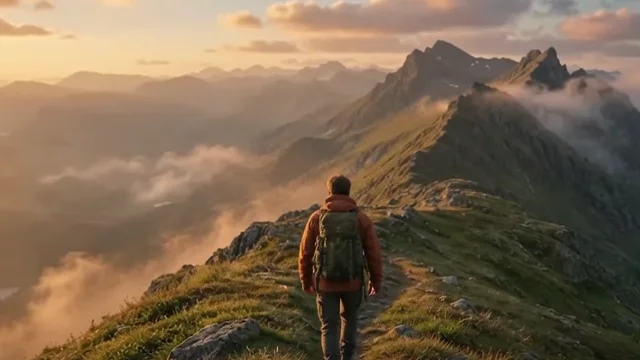
Use a new shot when the cut needs footage you did not capture. Use Remix shot when you have an existing shot and want to change its light, setting, or look. Think about what the shot needs to do between the two clips around it.
Specify the new shot and where it belongs
Name the subject and setting, describe the camera angle or movement, and say where the shot should go. A wide establishing shot shows where you are before a close-up. For an insert, describe the object or action that the audience needs to see.
A request for a new shot opens a generation preview. Check the insertion point, choose the available duration and resolution, and review the take before adding it to the cut.
“Add an AI drone shot in the beginning. Glide above a foggy alpine ridge at sunrise, then reveal the peak.”
Try in editing chatChoose a short range to remix
Select the source shot, choose Remix shot in Chat, and set the start and end to the frames you want to change. A short, continuous excerpt makes it easier to judge the result. Say what to change in the first sentence and what to preserve in the second.
For a light change, name the direction, warmth, and time of day. For a setting change, describe the location and what should remain in frame. Include the existing camera movement if continuity matters.
“Give the shot a warm sunset sky. Keep the hiker and camera movement.”
Try in editing chatCompare both takes at the cut points
Play your original and the new take. Scrub around the subject’s face, hands, outline, or any product logo you need to keep readable. Check whether motion, color, and exposure feel continuous with the previous and following shots.
Choose Add to media to save a take as an option. Choose Apply to timeline when you know where it should play. For a remix, choose whether to keep the source sound or use generated audio where available.
Make a specific refinement
When you have video credits available, describe one change to the new take. “Soften the orange cast on the jacket and keep the sky warm” gives Chat a clearer instruction than repeating the whole brief.
The starter preview covers three seconds at 360p, subject to availability. Use it to test composition and continuity before spending credits on a longer or higher-resolution take. Watch the approved take in context after applying it.
Try it in editing chat
Open the sample project with an example message ready to send, or import your own footage.
Open editing chat